Smart home integration issues
Find troubleshooting steps for BUSY Bar smart home integration below.
If you can’t scan the Matter QR code, try one of these options:
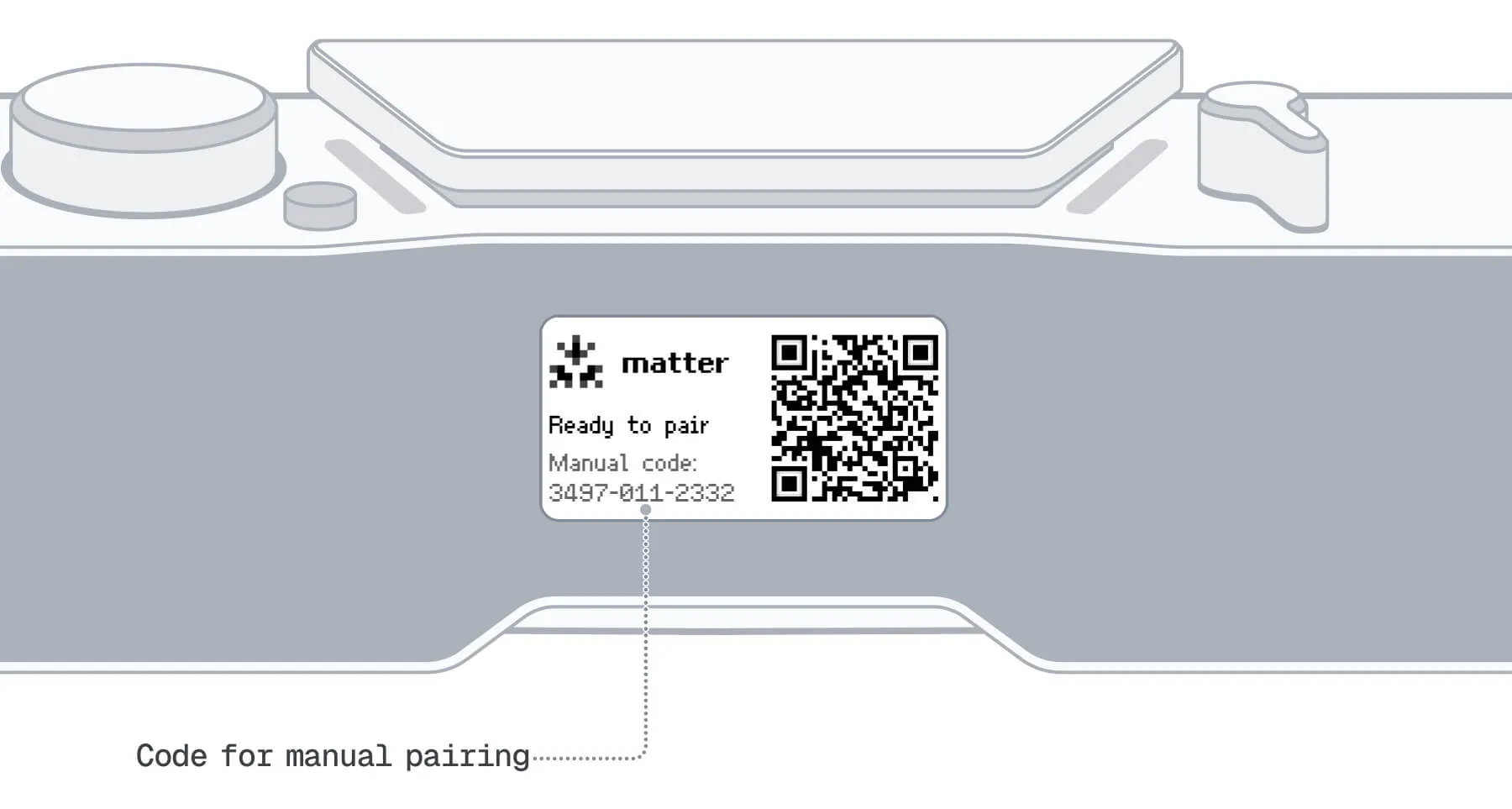
- Enter the pairing code manually. It’s next to the QR code on the back screen of your BUSY Bar.
- Scan the QR code from the local web interface:
- Connect your BUSY Bar to your PC using a USB cable.
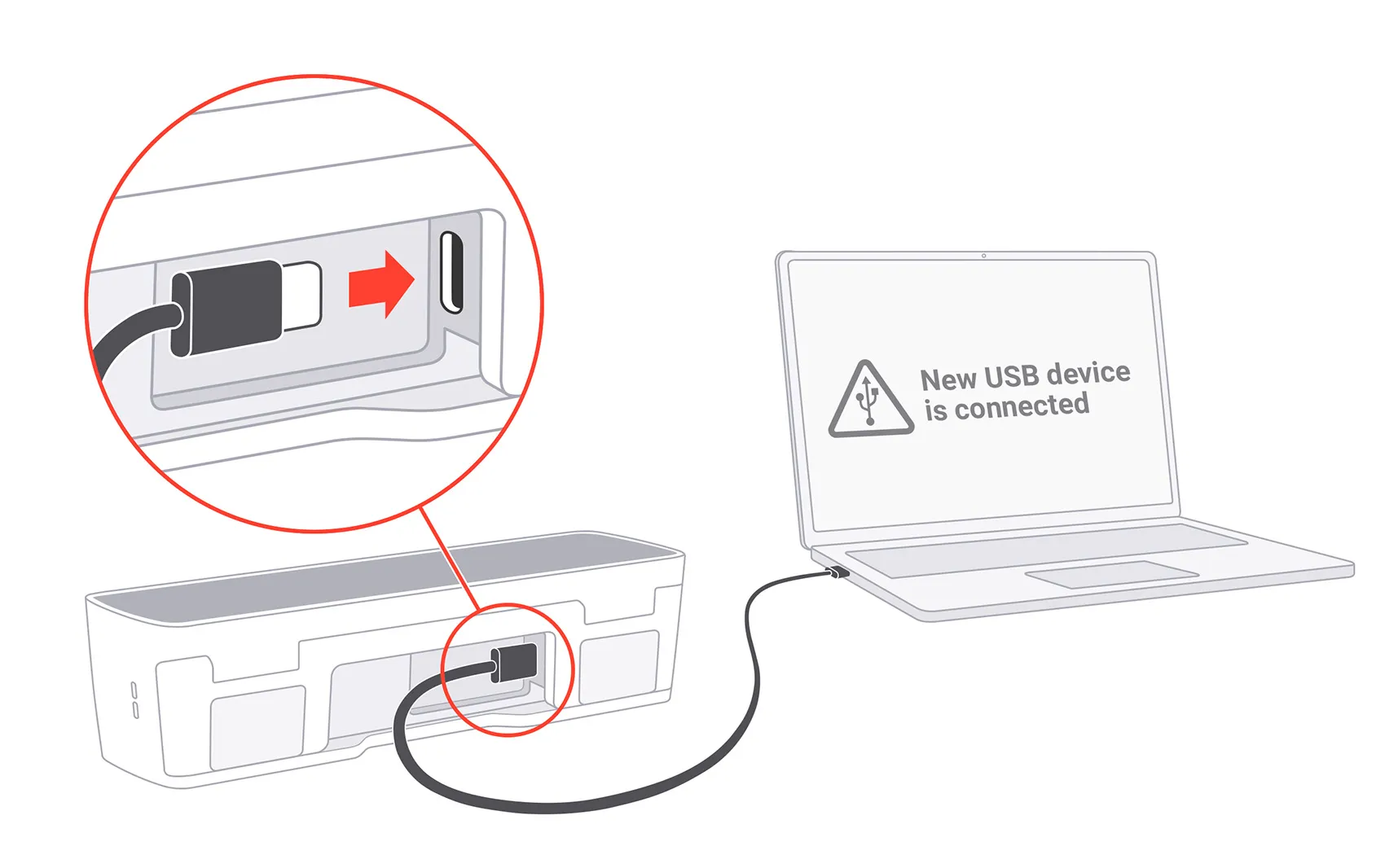
- In the browser, go to http://10.0.4.20 .
- Open the Settings tab.
- In the Smart home section, click Pair device.
- Scan the Matter QR code displayed on your computer.
If your BUSY Bar doesn’t show the QR code or manual pairing code, try these steps:
- Make sure your BUSY Bar is connected to Wi-Fi: On your BUSY Bar, go to Settings → Wi-Fi.
- Restart your BUSY Bar: Press and hold the
 Start / Pause and
  Back buttons for 3 seconds.
If the issue persists, contact support .
If you can’t connect your BUSY Bar to your smart home, try these steps:
- Restart your BUSY Bar: Press and hold the Start / Pause and Back buttons for 3 seconds.
- Make sure your BUSY Bar is connected to Wi-Fi: On your BUSY Bar, go to Settings → Wi-Fi.
- Make sure your Wi-Fi network has internet access.
- Make sure IPv6 is enabled on your Wi-Fi router.
- Update your BUSY Bar to the latest firmware version.Update your BUSY Bar to the latest firmware version.
- If your BUSY Bar was previously connected to a smart home system, forget all smart home pairings: On your BUSY Bar, go to Settings → Smart Home → Forget all pairings. Then try connecting it again.
If the issue persists, contact support .
Make sure smart home integration is enabled on your BUSY Bar:
On your BUSY Bar, go to  /
/  → Setup → Smart Home.
Set Trigger smart home to On.
If your BUSY Bar status changes but your smart home automation doesn’t run, try these steps:
- Make sure smart home integration is enabled on your BUSY Bar:
- On your BUSY Bar, go to / → Setup → Smart Home.
- Set Trigger smart home to On.
- Check your smart home app: Your BUSY Bar (smart bulb) should change its state when you start or pause or mode. If it doesn’t, try reconnecting your BUSY Bar to your smart homereconnecting your BUSY Bar to your smart home.
- Make sure your automation scenarios are set up correctly in your smart home app. See Set up automations.
Make sure your automation scenarios are set up correctly in your smart home app. Incorrect or conflicting automation rules can cause unexpected BUSY status changes.
If your BUSY Bar appears as not responding or offline in your smart home system, try these steps:
- Make sure your BUSY Bar is connected to Wi-Fi: On your BUSY Bar, go to Settings → Wi-Fi.
- Make sure your smart home hub is connected to Wi-Fi.
- Update your BUSY Bar to the latest firmware version.Update your BUSY Bar to the latest firmware version.
- Update your smart home hub firmware and app.
- If your BUSY Bar was previously connected to a smart home system:
- On your BUSY Bar, go to Settings → Smart Home → Forget all pairings.
- Remove your BUSY Bar from your smart home app.
If the issue persists, contact support .