BUSY App
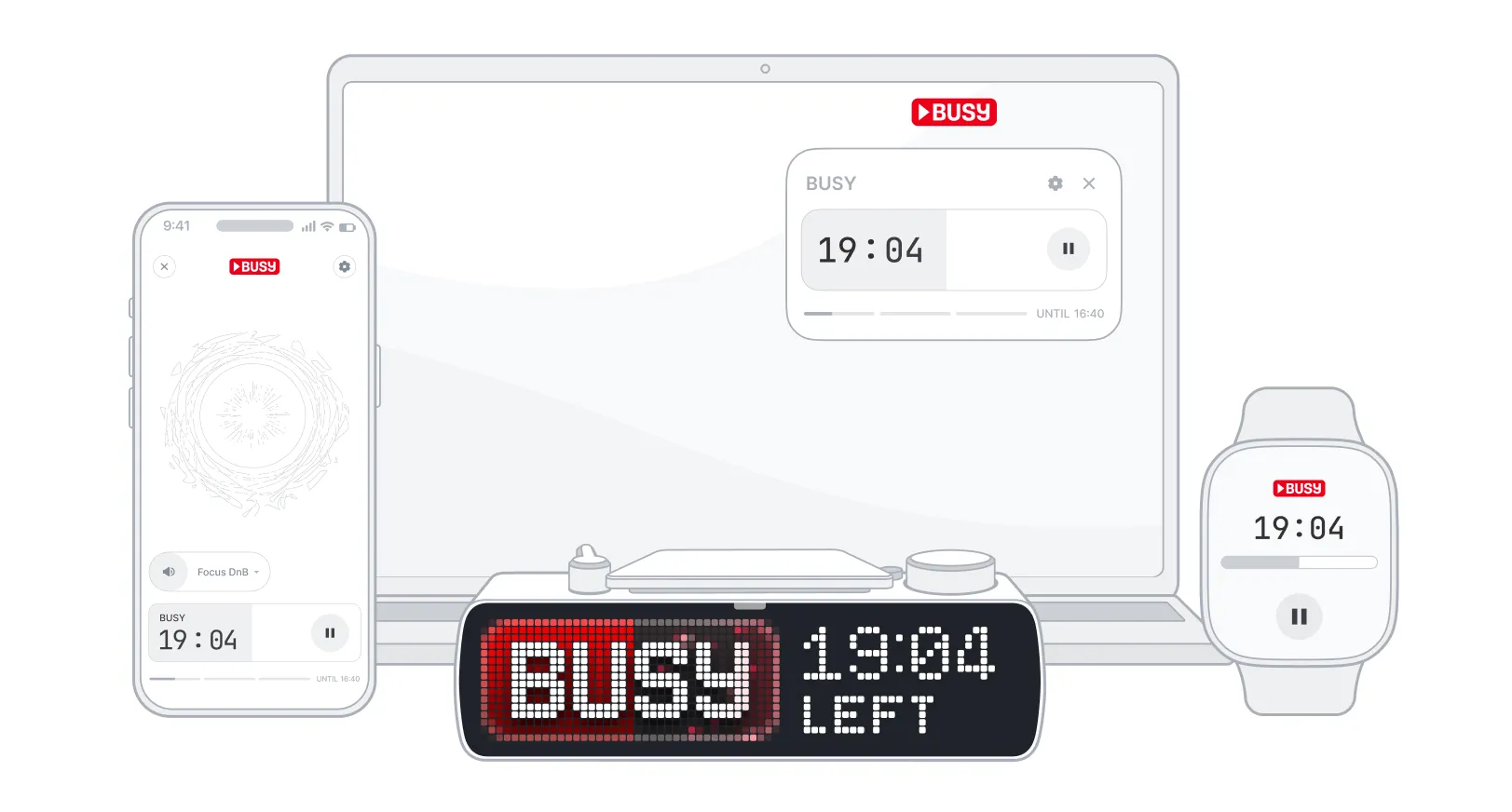
 BUSY App is a focus timer and distraction-blocking app available on phones, smartwatches, and computers (Mac only). BUSY App works together with BUSY Bar to create a seamless ecosystem: when you start a focus session on your BUSY Bar, it instantly syncs across all your linked devices. You can also start and manage your focus sessions from any device — the others sync automatically.
On this page, you’ll learn about the BUSY App versions and their features:
- Mobile app

- Watch app
- Desktop app
Supported platforms
-
 Phone: iOS, Android
-
 Computer: macOS
-
 Watch: watchOS, Wear OS
 Where is the Windows app?
Support for Windows is coming soon.
Mobile app
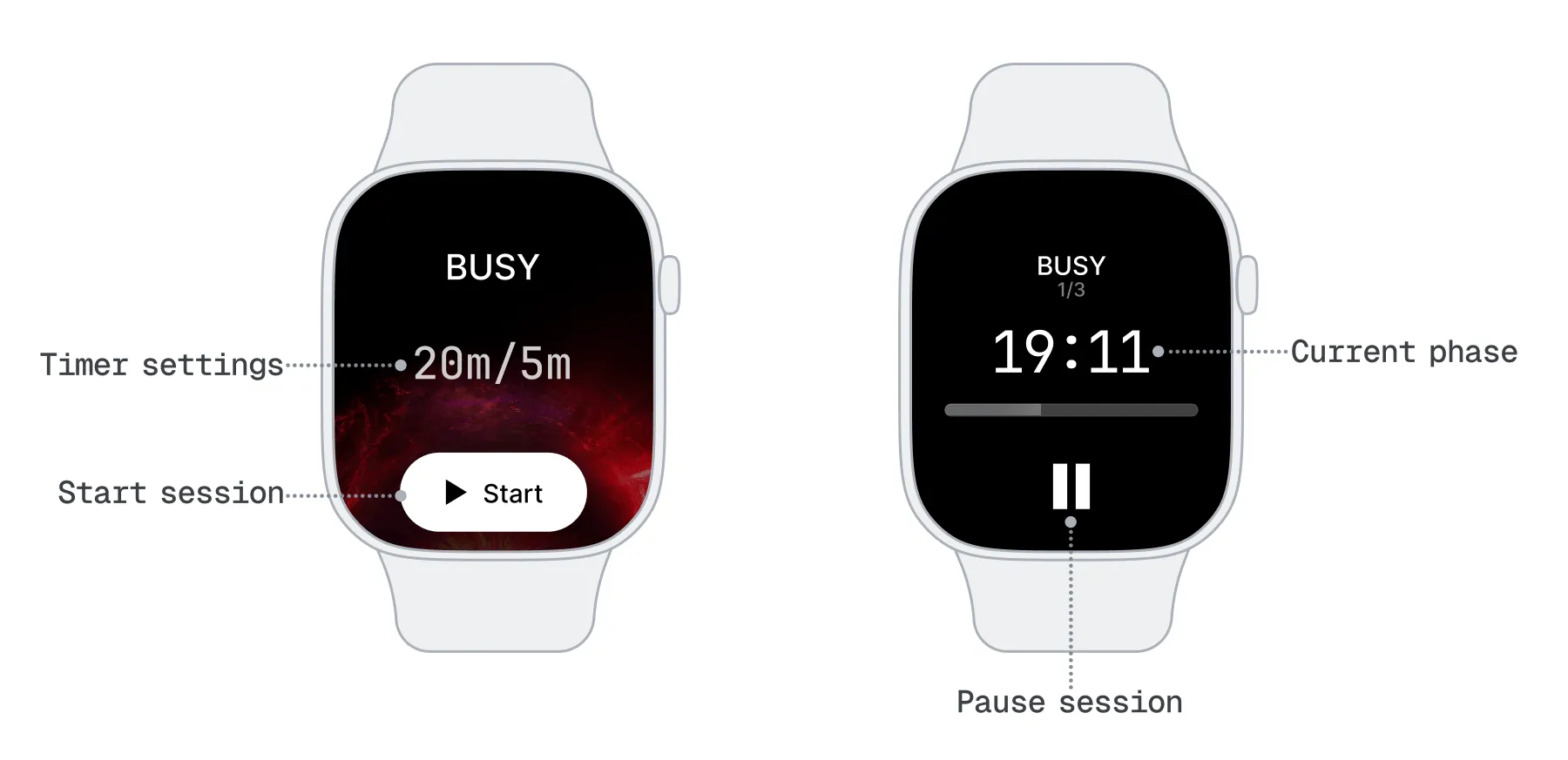
The mobile BUSY App syncs your phone with BUSY Bar over Wi-Fi or Bluetooth. Use it to set up and start focus sessions, connect BUSY Bar to Wi-Fi, and to block distracting apps and notifications while you work. Learn how to pair BUSY Bar with your phone.
The mobile version of BUSY App is available on iOS and Android:
Customize each session to your workflow — set the length of work and rest phases, choose how many cycles to repeat, pick which apps and notifications to block, and control what BUSY Bar displays.
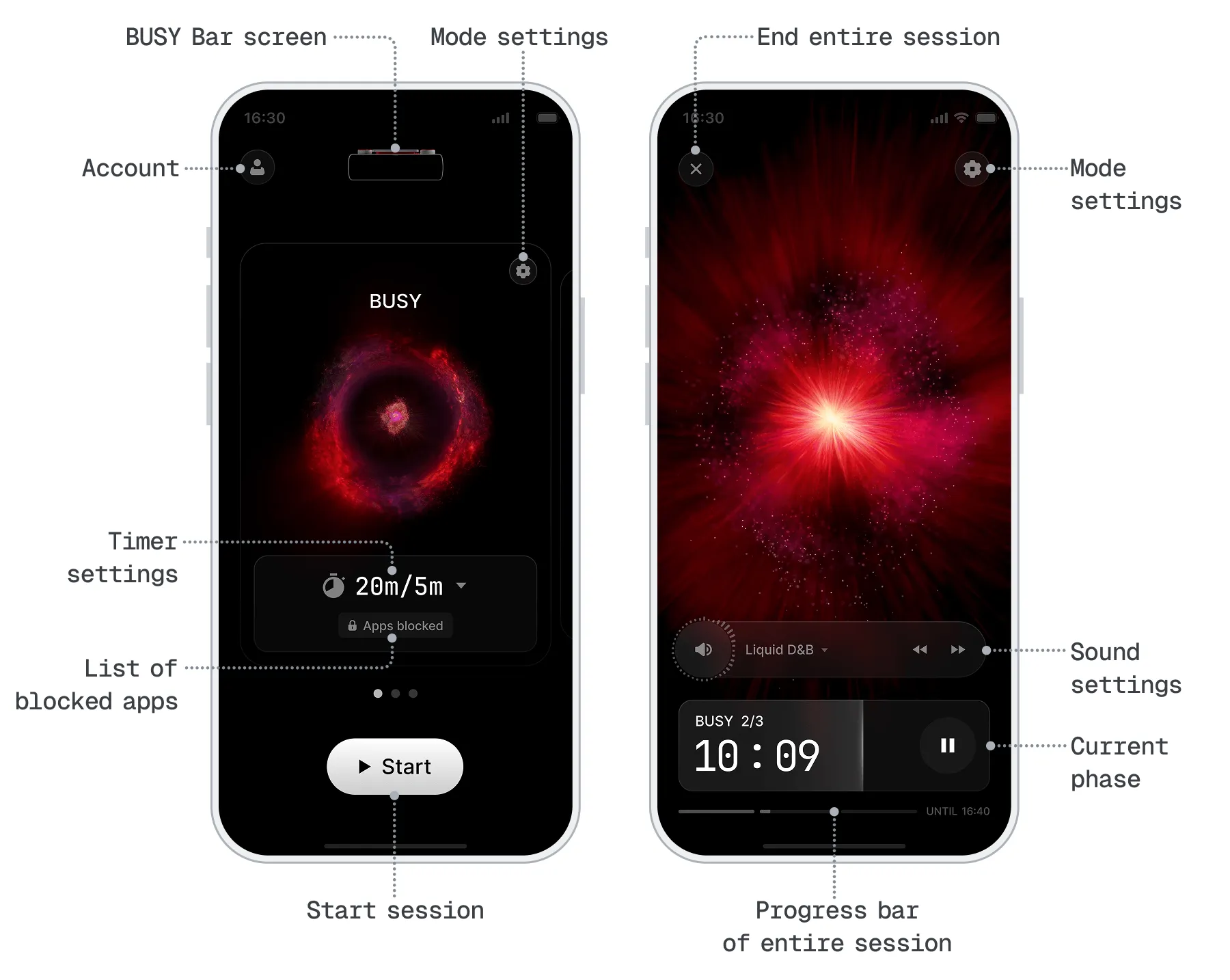
You can also manage BUSY Bar settings in the BUSY App. Adjust sound and brightness, rename your BUSY Bar, enable smart home automation, connect it to Wi-Fi, and install the latest firmware updates.
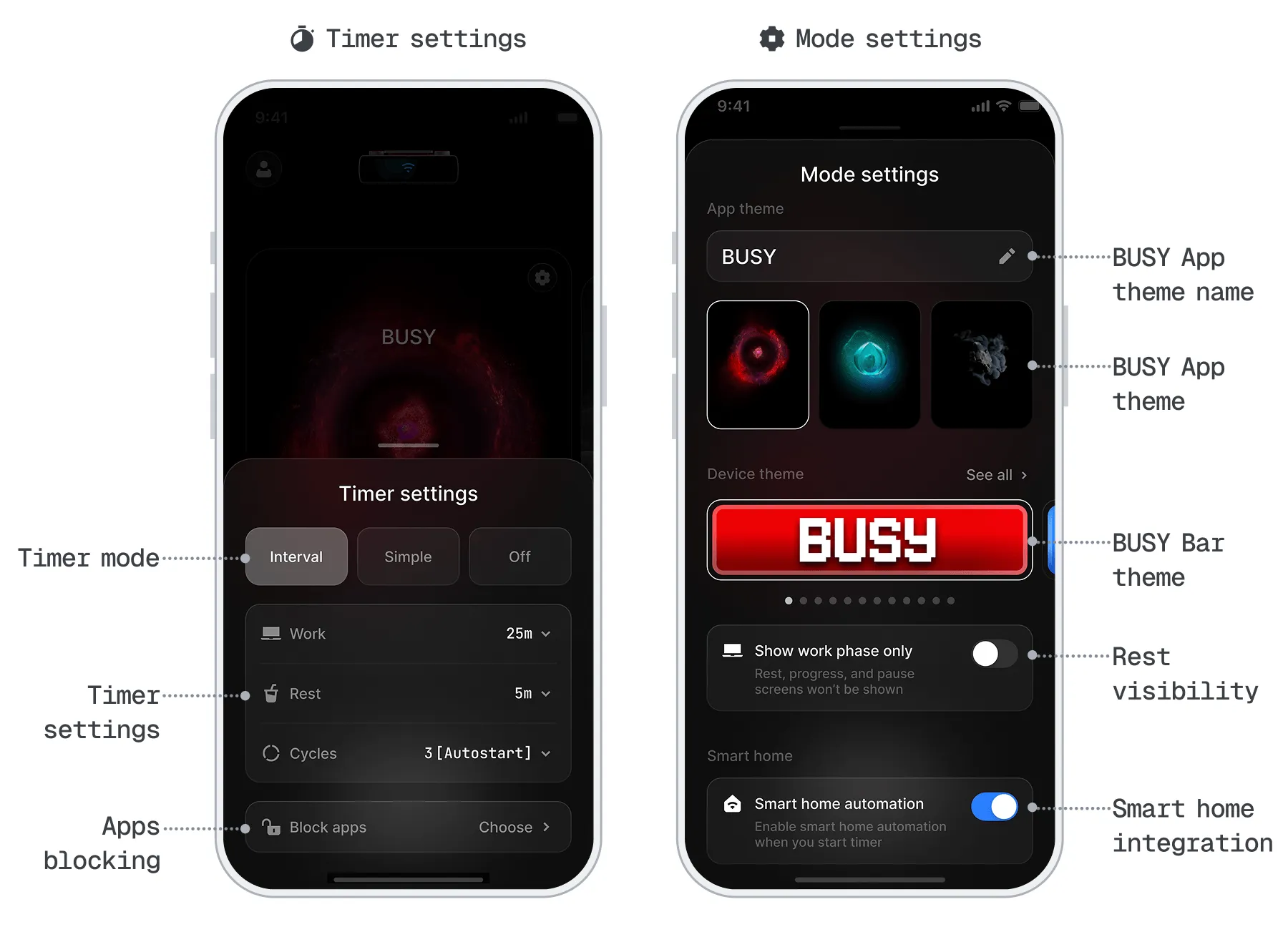
Mobile BUSY App features
- Focus timer. Set up your own Pomodoro-style workflow, or dive in with no time limit.
- Syncs across devices. Control your focus session from any connected device.
- Block phone apps and their notifications in focus sessions.
- Set BUSY Bar theme. Select what your BUSY Bar will show in a focus session.
- Music in sessions. Play music in work and rest phases.
- BUSY Bar settings. Brightness, sound, smart home, firmware updates, and more.
- Firmware update. Keep BUSY Bar's firmware up to date by starting the update from the app.
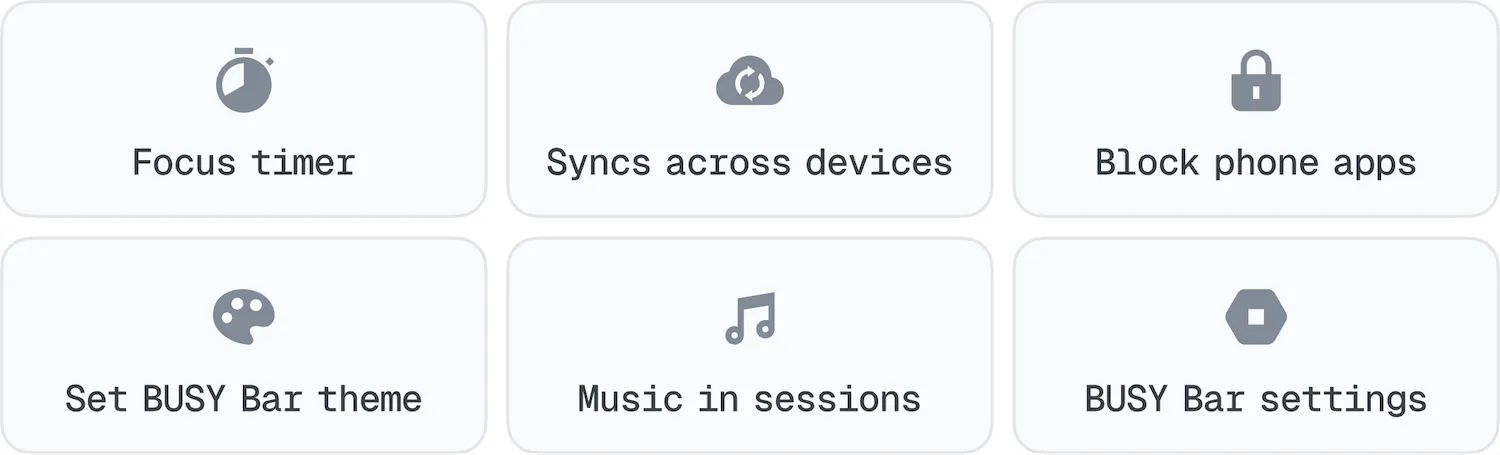
BUSY App on your watch
BUSY App on your phone is required
BUSY App must be installed on the paired phone for it to work on watches. Currently, BUSY App is not available as a standalone app for watchOS or Wear OS.
You can start, stop, or skip timers on your wrist without opening the BUSY App on your phone, and all actions are instantly synchronized across devices. During breaks, the smartwatch also provides timely reminders when rest periods end.
The BUSY App on your watch can’t change the timer settings. For this, use the BUSY App on your phone or the BUSY Bar device, or the BUSY App on your Mac if synced.
Desktop app
The desktop version of BUSY App is available on macOS only:
The Windows version is coming soon.
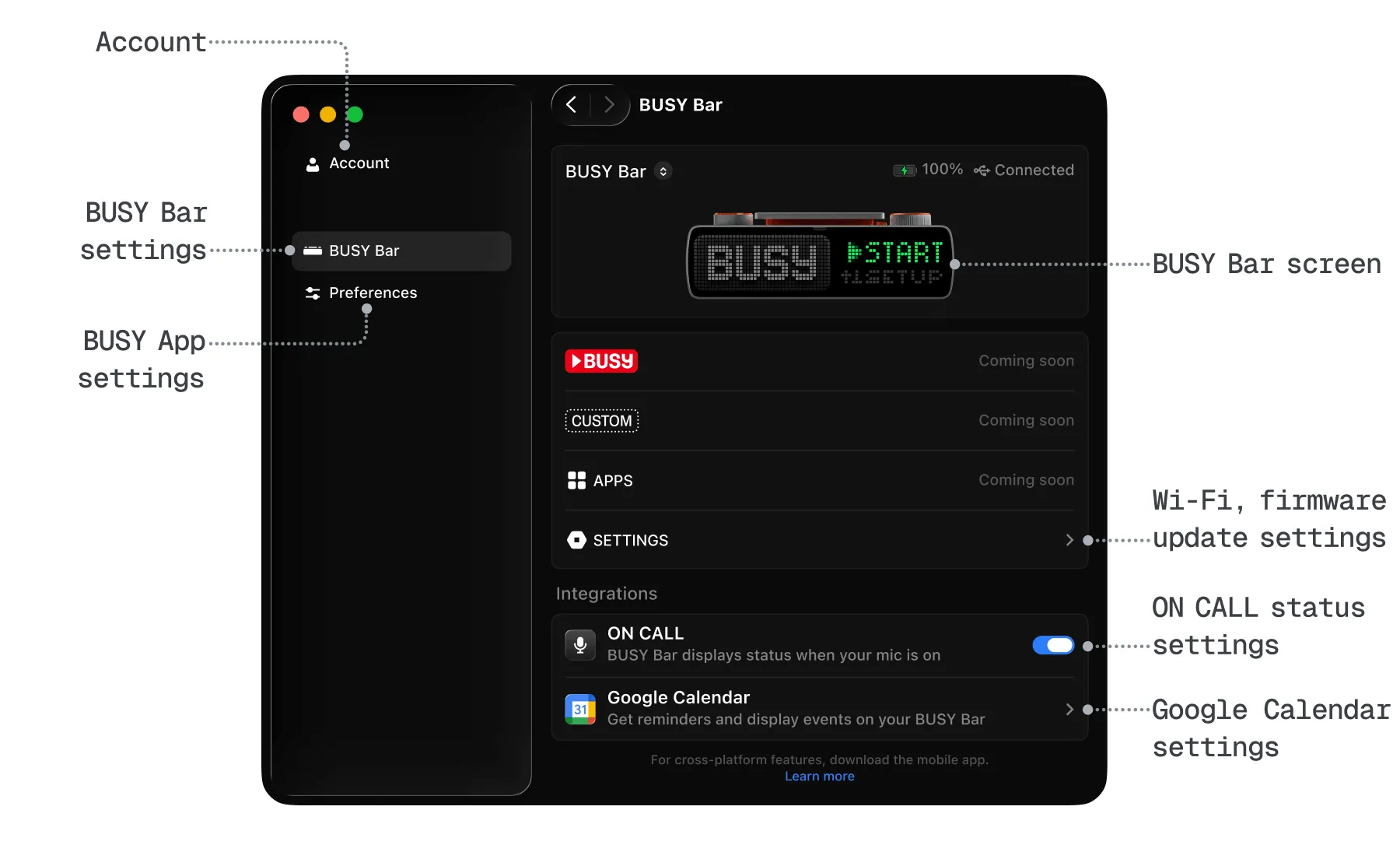
The desktop BUSY App syncs your Mac with BUSY Bar over Wi-Fi or USB. Use it to set up and start focus sessions, connect BUSY Bar to Wi-Fi, and automatically show ON CALL status when the mic is active. Learn how to connect your BUSY Bar to the app.
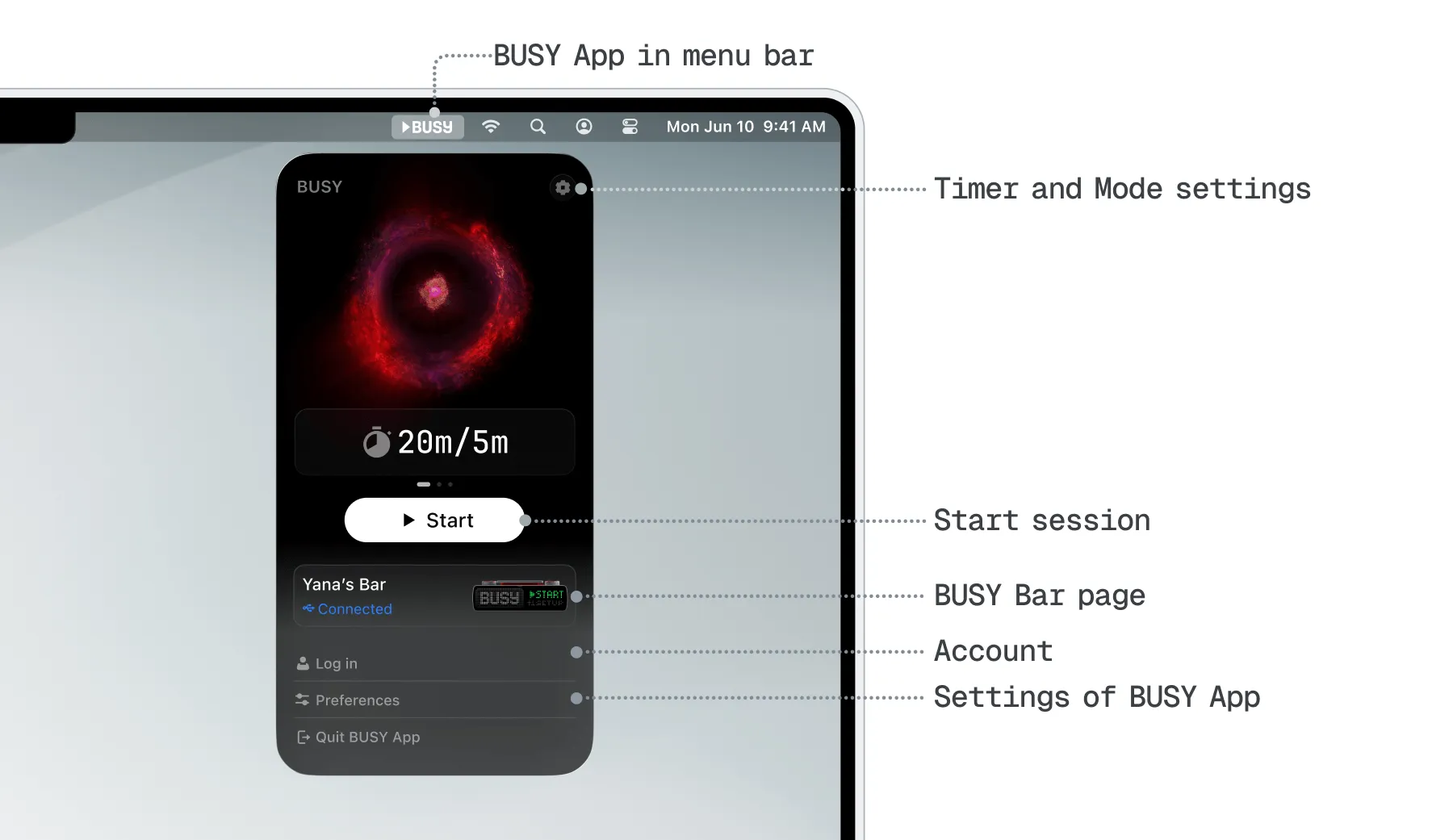
Customize each session to your workflow — set the length of work and rest phases, choose how many cycles to repeat. These settings are synced across all connected devices.
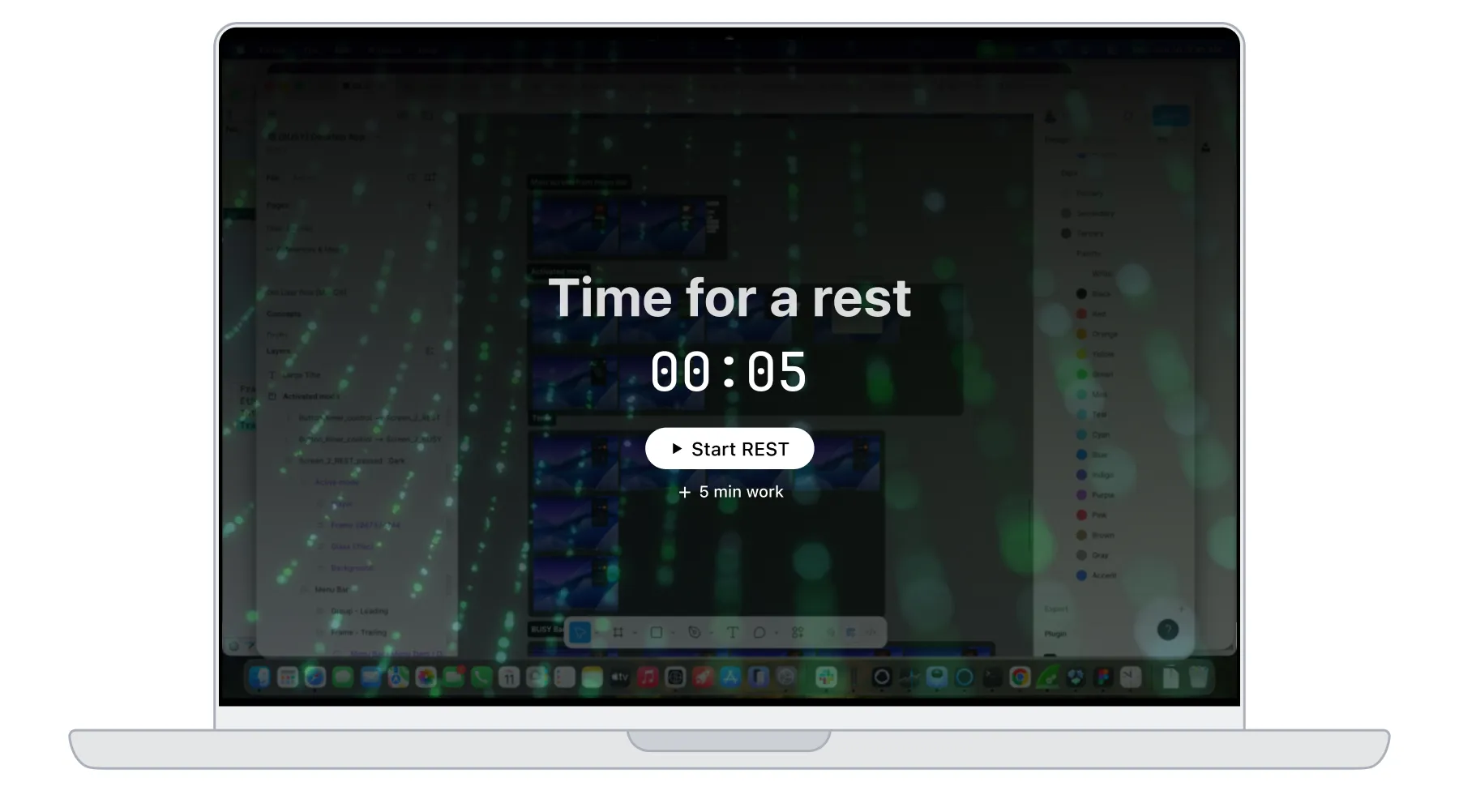
The desktop version of BUSY App can show full-screen reminders to take a break. This feature can be disabled in the BUSY App settings.
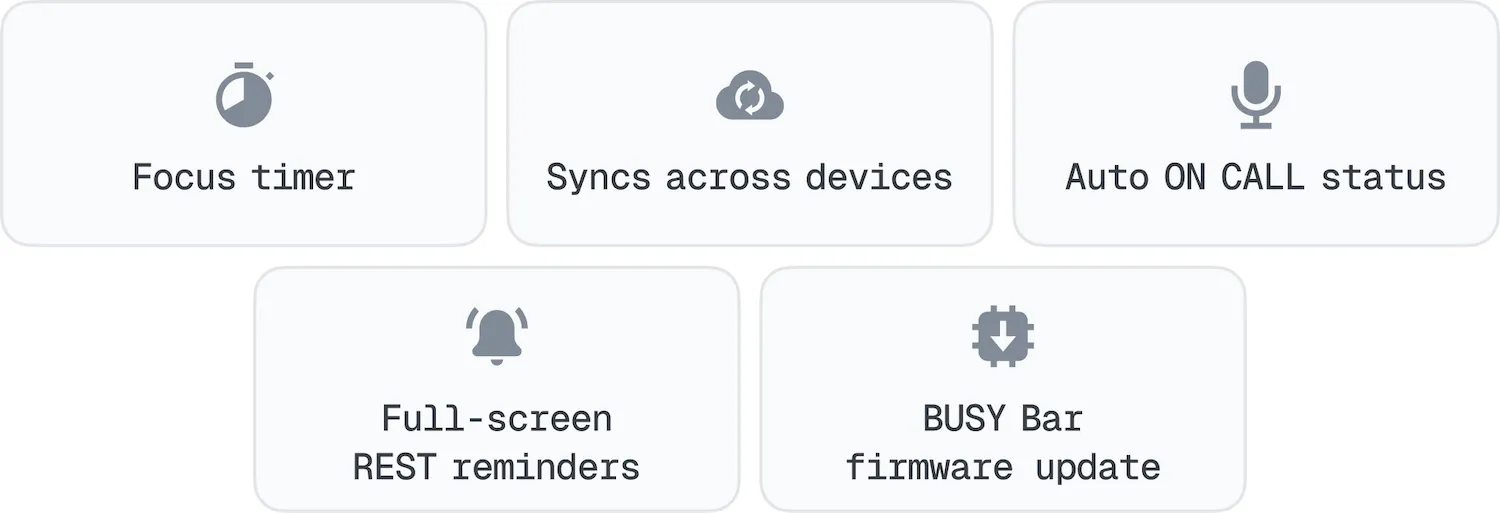
Desktop BUSY App features
- Focus timer. Set up your own Pomodoro-style workflow, or dive in with no time limit.
- Syncs across devices. Control your focus session from any connected device.
- ON CALL status. Show your status whenever your mic is active — no extra setup needed. Learn moreLearn more
- Full-screen REST reminder. Get full-screen reminders to take a break (can be disabled in settings).
- Firmware update. Keep BUSY Bar's firmware up to date by starting the update from your Mac.
The block distractions on your Mac feature is coming soon.