Controls
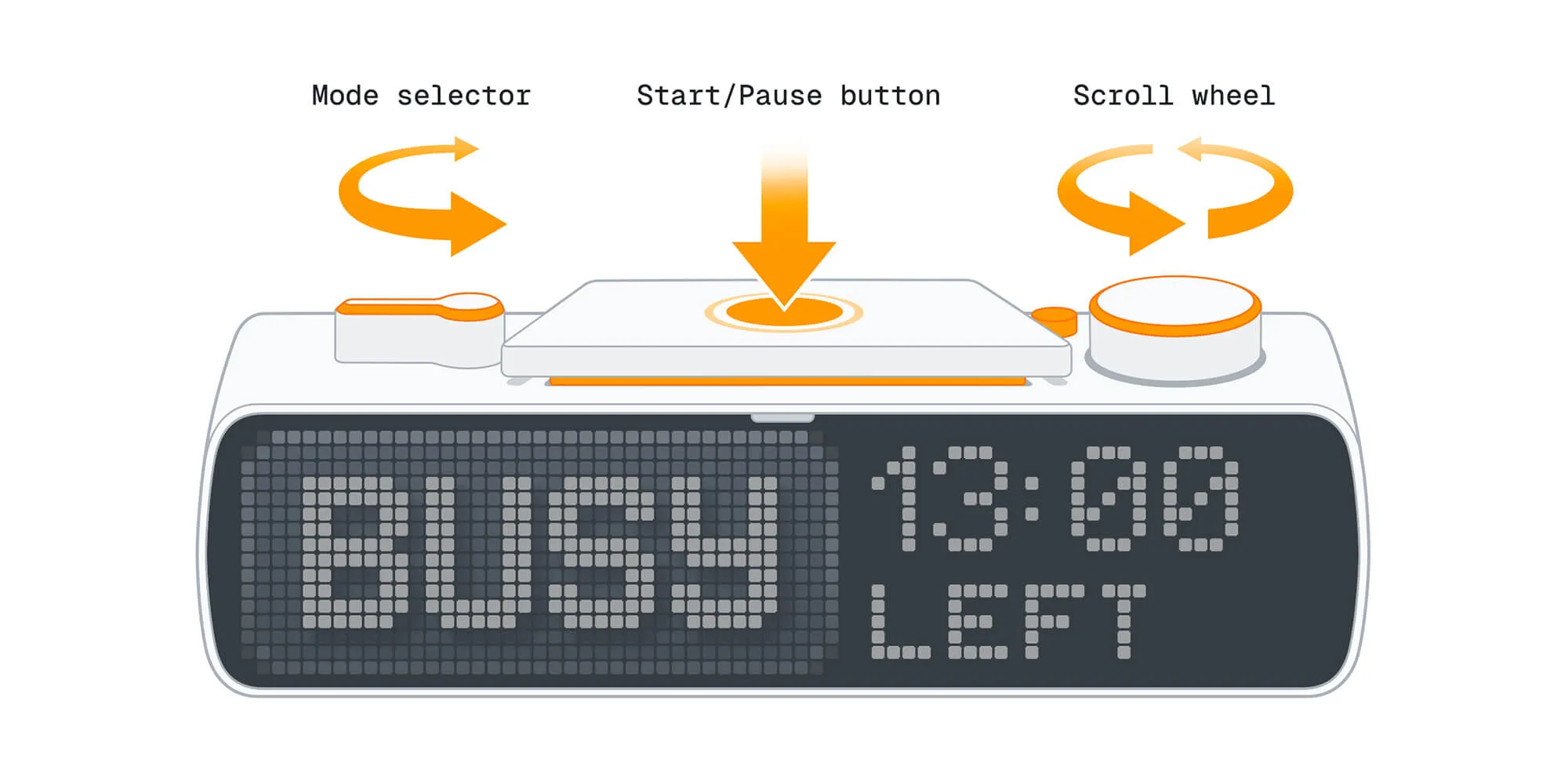
BUSY Bar features simple controls with physical buttons and switches, so you can manage your focus sessions and settings directly from the device — no PC or mobile app needed.
On this page, you’ll learn about the BUSY Bar controls:
Controls overview
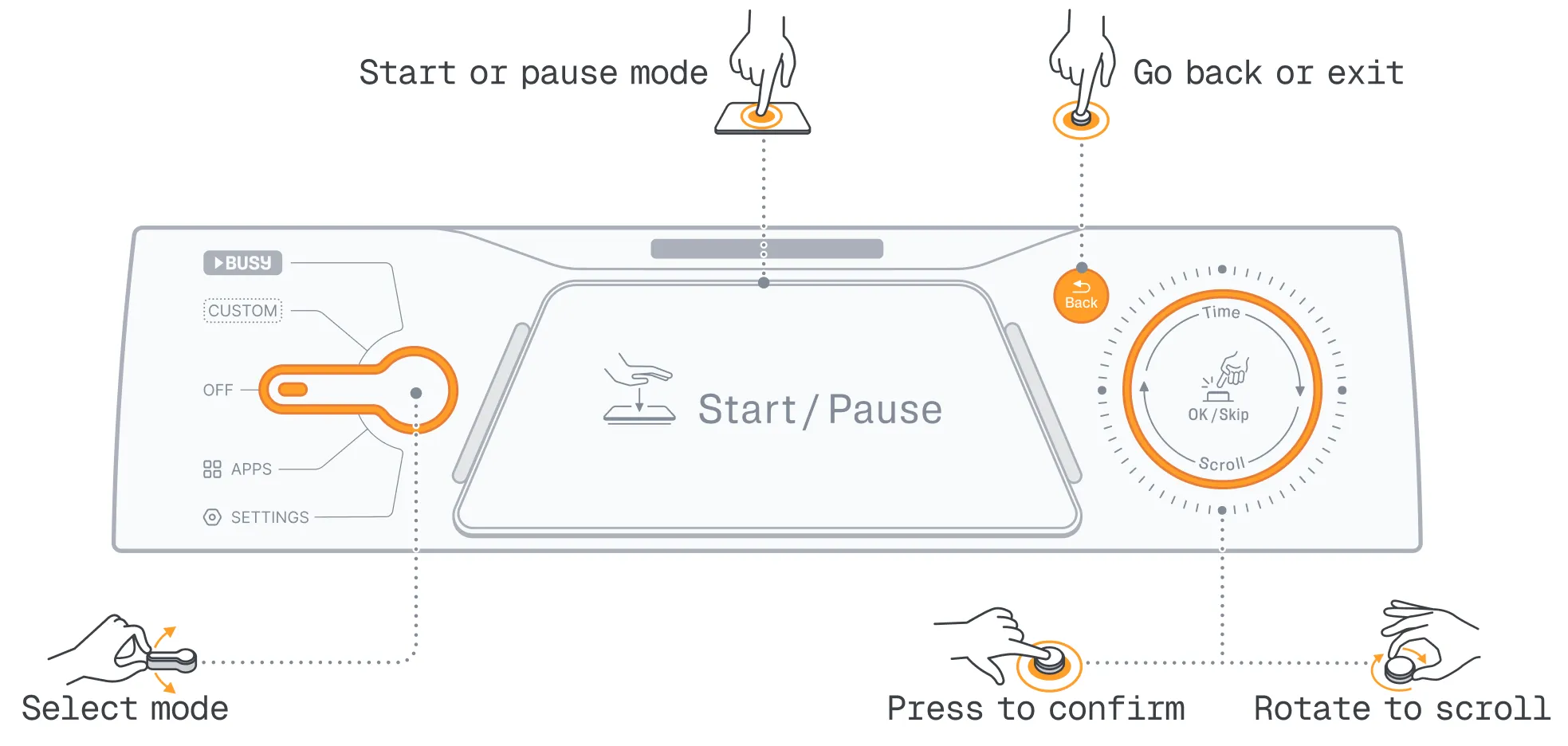
BUSY Bar controls:
-
 Start / Pause button — Start or pause modes, also OK
-
 Mode selector — Select modes, open apps, or access settings
-
 Scroll wheel — Navigate menus, also OK / Skip
-
 Back button — Go back or exit apps
Selecting modes
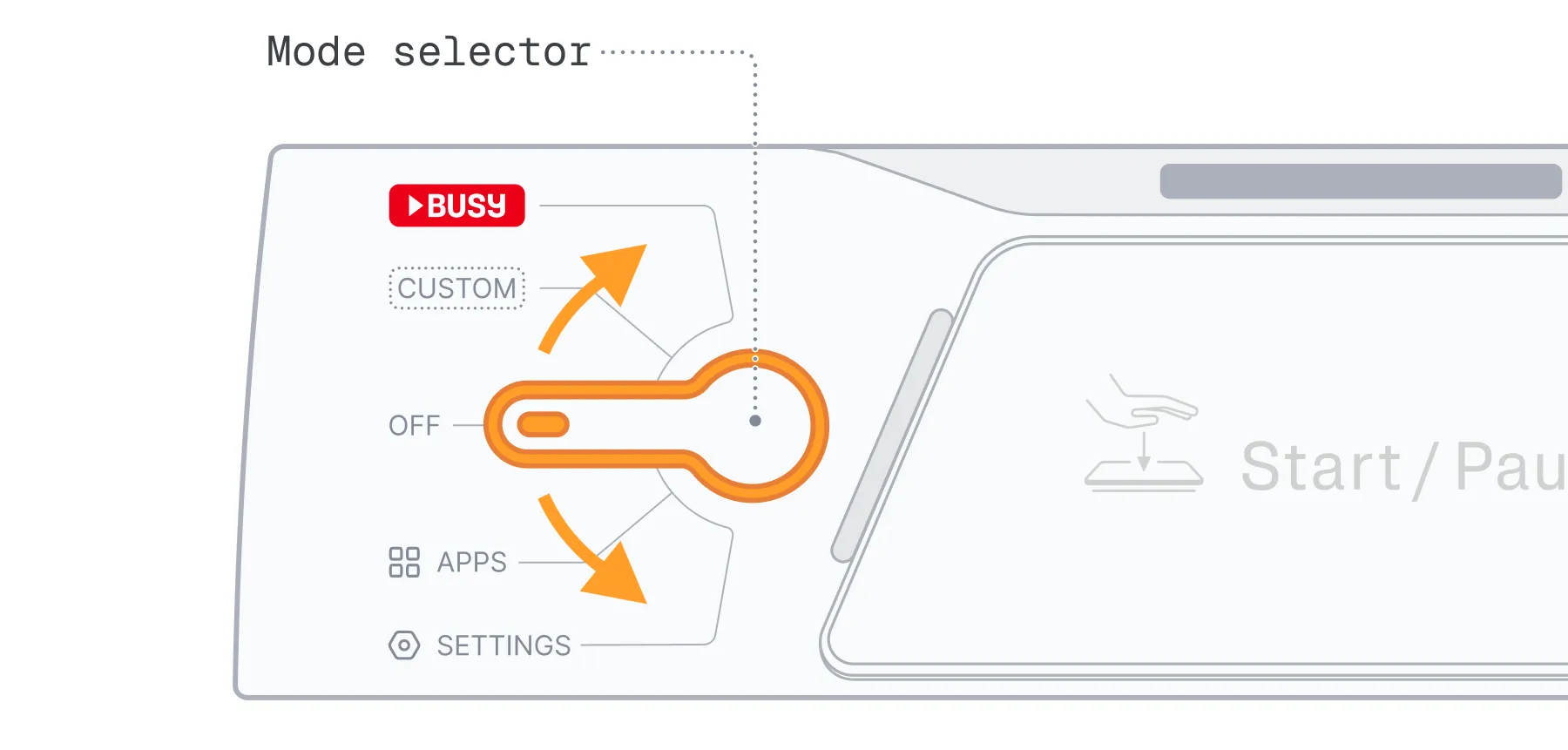
Use the  mode selector to switch between:
-
 — Main focus mode, by default set to BUSY interval timer
-
 — Second focus mode, by default set to custom status
-
 — Sleep mode with both screens off
-
 — Clock and user-added apps (coming soon)
-
 — Wi-Fi, Bluetooth, brightness, sound, firmware update, and more
Controls during a focus session
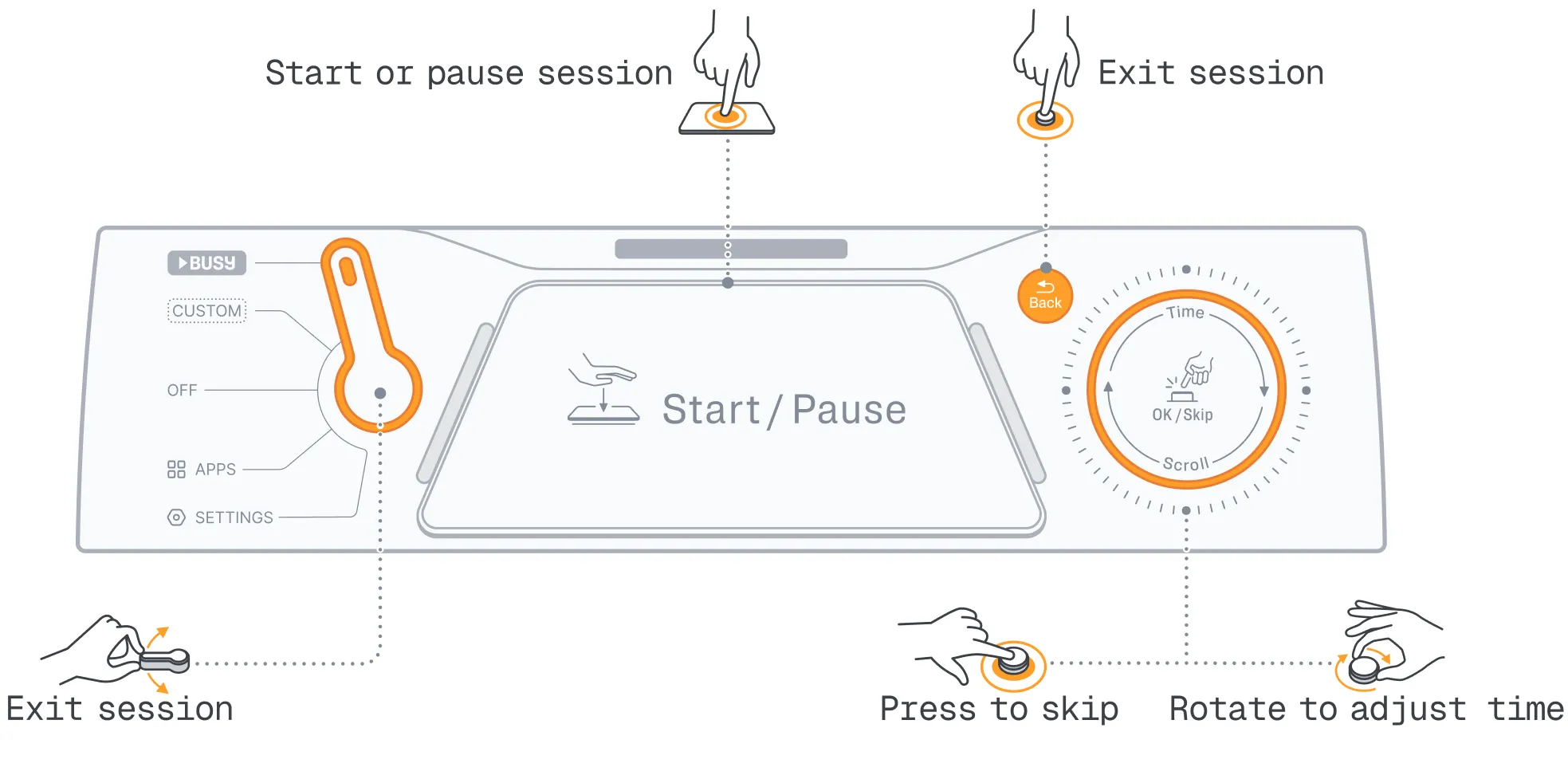
When you have an active focus session, here’s how the controls work:
- Start / Pause button — Pause your focus session.
- Scroll wheel — Rotate to adjust time, or press to skip the current phase.
- Mode selector — Move to immediately end your session.
- Back button — Immediately end your session.
Hotkeys
BUSY Bar has hotkeys to power it on, restart it, and enter recovery mode.
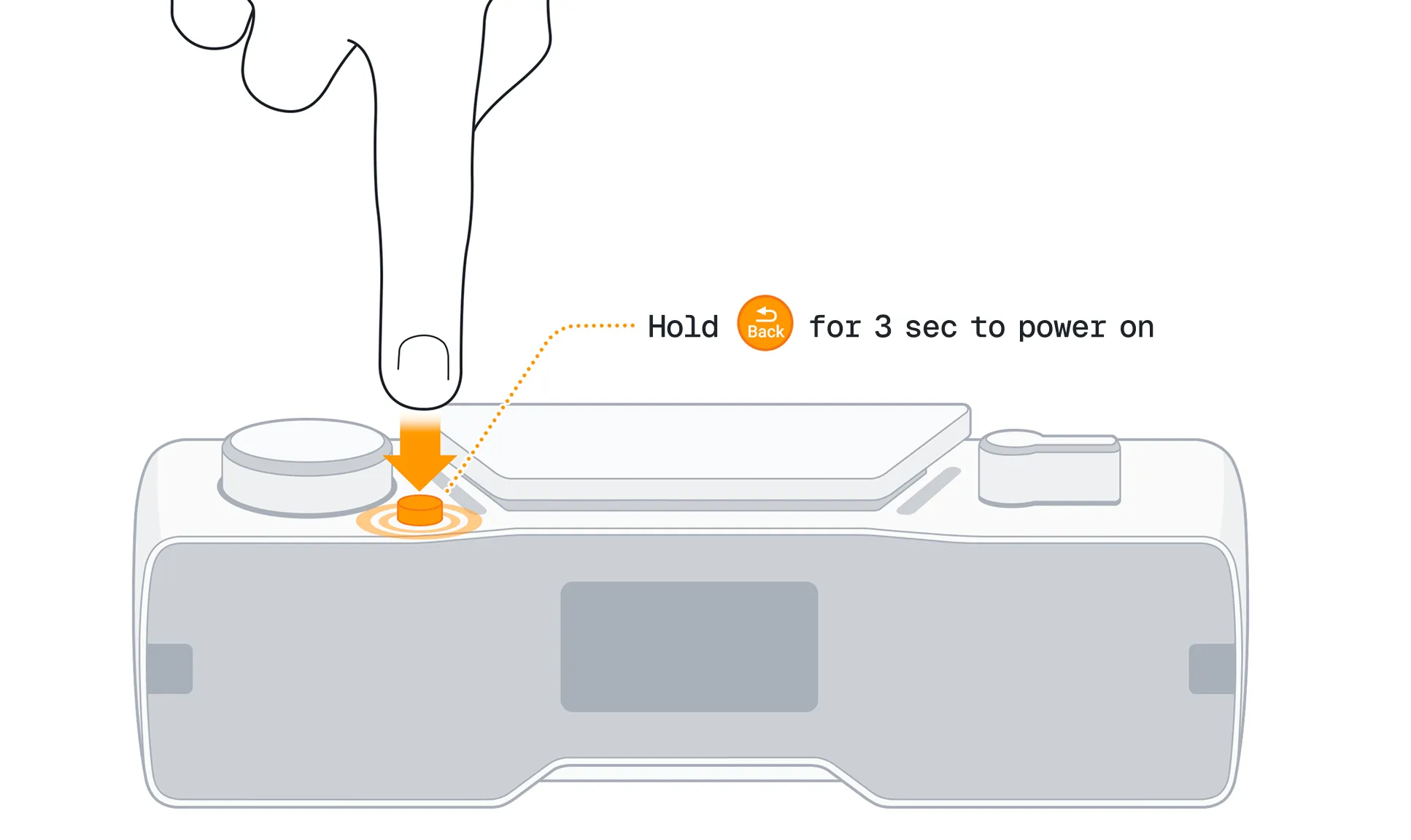
Power on
To power on your BUSY Bar for the first time or after a complete shutdown:
- Press and hold the
 Back button for 3 seconds.
Normal restart
This restart helps if the BUSY Bar freezes and doesn’t respond to button presses:
- Press and hold the
 Start / Pause and Back buttons for 3 seconds.
Hard restart
This type of restart resets the power circuit of your BUSY Bar. Your settings and data remain unchanged. A hard restart may help if a normal restart doesn’t resolve the issue:
- Press and hold the Back button for 20 seconds.
Recovery mode (DFU)
 Use recovery mode only if your BUSY Bar is unresponsive
If your BUSY Bar doesn't turn on or respond to button presses, switch it to recovery mode as described below, then restore the firmware using the BUSY Bar recovery tool.
To switch your BUSY Bar to recovery mode:
Press and hold Start / Pause, Back, and  OK / Skip buttons for 3 seconds.
Release Start / Pause and Back buttons, but keep holding the OK / Skip button for an additional 2 seconds.
Release the OK / Skip button.
Once in DFU mode, the BUSY Bar flashes its LEDs yellow three times, then turns them red.
To exit recovery mode:
- Press and hold the Start / Pause and Back buttons for 3 seconds.